
Have you ever wondered how your phone actually grabs data out of thin air? We talk a lot about “bars” of signal or “5G versus 4G,” but we rarely peek under the hood to see the actual mechanism that delivers your YouTube video or your Instagram feed. At the heart of this process lies something called the Transport Block Size, or TBS. If you are a network engineer, a student, or just someone who loves knowing how things work, understanding TBS is like finding the key to the entire cellular kingdom.
I remember back when I first started looking into cellular protocols, the concept of a “Transport Block” felt incredibly abstract. It sounded like something out of a logistics manual rather than a telecommunications textbook. But over the years, working with network logs and seeing how data flows in real-time, I realized that TBS is essentially the “unit of work” for a mobile network. It is the specific amount of data that the base station (the cell tower) decides to send to your phone in one single go.
What Exactly is a Transport Block?
To understand Transport Block Size, you first need to visualize how data travels. Your phone doesn’t just receive a continuous, unbroken stream of water-like data. Instead, it receives data in “chunks.” In the world of the Open Systems Interconnection (OSI) model, data moves down from the application layer to the MAC (Medium Access Control) layer. Once it hits the MAC layer, it gets bundled into a package called a Transport Block.
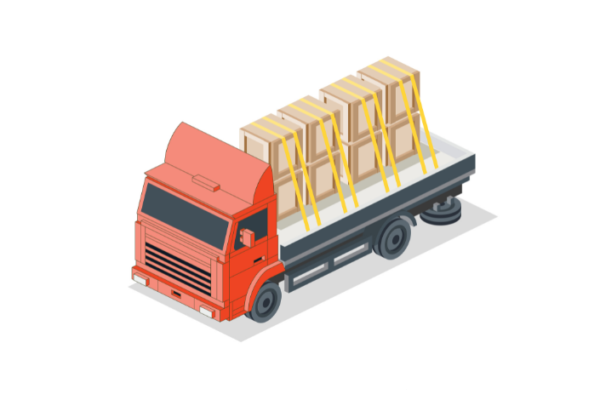
Think of it like a shipping company. The MAC layer is the warehouse manager who packs a suitcase full of clothes. That suitcase is the Transport Block. The manager then hands that suitcase to the Physical Layer (the delivery truck), which is responsible for driving it across the radio waves to your phone. The “Size” of this block (TBS) is simply the number of bits contained in that suitcase. If the suitcase is large, you get more data at once, and your speed goes up. If it is small, your speed drops.
The Balancing Act: MCS and Resource Blocks
So, how does the tower decide how big this suitcase should be? It doesn’t just pick a random number. It uses two main pieces of information: Modulation and Coding Scheme (MCS) and the number of Physical Resource Blocks (PRBs). This is where the magic (and the math) happens.
The MCS is like the “density” of your packing. If the signal is very clear, the tower can use high-level modulation like 256QAM. This is like folding your clothes very tightly so you can fit more into the same suitcase. However, if you are far away from the tower and the signal is weak, it has to use something simpler, like QPSK, which is like tossing the clothes in loosely. The “Coding” part of MCS is about error protection. Higher coding rates mean less “padding” for errors, while lower rates include more redundant data to make sure the message gets through the noise.
Then you have the Resource Blocks. Think of these as the “width” of the road. If the tower allocates 100 RBs to you, you have a 10-lane highway. If it only gives you 1 RB, you are stuck on a narrow dirt path. The Transport Block Size is the result of multiplying that “density” (MCS) by that “width” (Resource Blocks). In my experience, seeing a network drop the MCS while keeping the RBs the same is a classic sign of interference. The tower is still trying to give you space, but it has to pack the data more loosely to ensure it doesn’t get corrupted during the trip.
The LTE Way: Using the 3GPP Tables
In the world of 4G LTE, calculating the TBS was a bit like using a giant cheat sheet. The 3GPP (the folks who set the standards) created massive tables in a document called TS 36.213. Instead of doing complex math on the fly, the base station would look at your signal quality and your allocated resources and then find a “TBS Index.”
Once it had that index, it would look at a table. For example, if your TBS Index was 15 and you had 50 Resource Blocks, the table would tell the tower exactly how many bits to put in the block (for instance, 12,576 bits). This was efficient for the hardware of that time because looking up a value in a table is much faster for a computer than calculating a long equation.
I always found the LTE tables to be a bit rigid, but they worked remarkably well. They provided a predictable way for the phone and the tower to stay in sync. If the phone knew the MCS and the number of RBs, it could look at its own copy of the table and know exactly how many bits were coming its way. If they didn’t agree on the size, the phone wouldn’t be able to decode the data, and your internet would simply stop working.
The 5G NR Evolution: Formulas Over Tables
When 5G NR (New Radio) arrived, everything changed. 5G is designed to be incredibly flexible. It has to handle everything from tiny sensors (IoT) to massive 4K video streams. Because of this, the old “one-size-fits-all” table approach from LTE wasn’t going to cut it anymore.
In 5G, we use a mathematical formula to determine the Transport Block Size. This is defined in 3GPP TS 38.214. It feels a bit more complex, but it allows the network to be much more precise. The process starts by calculating the “Intermediate Number of Information Bits,” which we call Ninfo. This calculation takes into account the number of subcarriers, the number of symbols in a slot, and the code rate.
If Ninfo is small (less than or equal to 3824 bits), the formula uses a specific quantization logic to find the final TBS. If it is large, it uses a different formula involving an expansion factor. I like to think of 5G as a custom tailor. Instead of giving you a “Medium” or “Large” shirt from a rack (like LTE tables), 5G measures your exact dimensions and sews a shirt that fits perfectly. This flexibility is a huge reason why 5G can reach such astronomical speeds while still being efficient for low-power devices.
Code Block Segmentation: Breaking it Down
Sometimes, a Transport Block is just too big to handle in one piece. Imagine trying to send a 100-pound box through the mail; the post office might tell you to break it into four 25-pound boxes instead. This is called Code Block Segmentation.
Before the Transport Block is sent over the air, the system adds a Cyclic Redundancy Check (CRC). This is a little bit of math at the end of the data that helps your phone verify that nothing got broken. If the resulting block is larger than a certain threshold (usually 6,144 bits in LTE or 8,448 bits in 5G), it gets split into multiple “Code Blocks.”
Each of these smaller blocks gets its own CRC. This is actually a brilliant design. If one tiny piece of your data gets messed up by a bird flying in front of the signal, the tower doesn’t have to resend the entire massive Transport Block. It can sometimes just deal with the specific part that failed. This keeps your connection feeling snappy even when the conditions aren’t perfect.
Real-World Throughput and Personal Experience
At the end of the day, TBS is what determines your throughput—the speed you see on a Speedtest app. To calculate your instantaneous speed, you just take the TBS and divide it by the time it took to send it (the TTI).
In my years of testing mobile networks, I’ve seen how the “environment” plays a massive role in this. I remember doing a drive test in a dense city area. The phone was reporting a huge number of Resource Blocks, but the TBS was tiny. Why? Because the noise in the city was so high (interference) that the MCS index dropped to near zero. The “highway” was wide, but the “suitcases” were almost empty.
This is a common misconception: people think more “bars” or more “bandwidth” always equals more speed. But if your Transport Block Size is being squeezed by a low MCS, you won’t get those high speeds you’re paying for. It’s the combination of a high MCS and a high number of RBs that leads to a massive TBS, which finally results in that satisfying 1 Gbps download speed.
Conclusion: Why TBS is the Unsung Hero
Transport Block Size might seem like a niche technical detail, but it is the heartbeat of modern communication. It represents the constant negotiation between your phone and the tower—a conversation happening thousands of times every second. Whether it’s the rigid tables of LTE or the flexible formulas of 5G, the goal is always the same: to pack as much data as possible into the available space without losing anything along the way.
Understanding this process gives you a much deeper appreciation for the technology in your pocket. The next time your video loads instantly in high definition, just think about the millions of Transport Blocks being perfectly sized, calculated, and delivered to your hand in the blink of an eye. It really is a marvel of human engineering.
FAQs
1. What is the difference between a Transport Block and a Code Block?
A Transport Block is the total amount of data passed from the MAC layer to the Physical layer for one transmission. If that block is too large for the system to process reliably, it is chopped into smaller pieces called Code Blocks. Think of the Transport Block as the whole pizza and the Code Blocks as the individual slices.
2. Can I manually change the Transport Block Size on my phone?
No, you can’t. The TBS is dynamically decided by the base station’s scheduler. It looks at your signal quality (reported by the phone as CQI), the available frequency, and the network congestion to decide the best size for that specific millisecond.
3. Why does 5G use a formula for TBS instead of tables?
5G is much more complex than 4G. It supports a vast range of bandwidths and configurations. Creating tables for every possible scenario would have been nearly impossible and very inefficient. A formula allows the network to calculate the perfect size for any situation on the fly.
4. How does MCS affect TBS?
MCS stands for Modulation and Coding Scheme. A higher MCS means more bits can be packed into each resource. Therefore, the higher the MCS, the larger the Transport Block Size will be for the same amount of spectrum.
5. What happens if a Transport Block is corrupted during transmission?
If the phone receives a Transport Block and the CRC check fails, it sends a “NACK” (Negative Acknowledgement) back to the tower. The tower then uses a process called HARQ (Hybrid Automatic Repeat Request) to either resend the data or send extra information to help the phone fix the error.



Leave a Reply